![eniture_w89_h34.jpg]](https://support.eniture.com/hs-fs/hubfs/eniture_w89_h34.jpg?height=40&name=eniture_w89_h34.jpg)
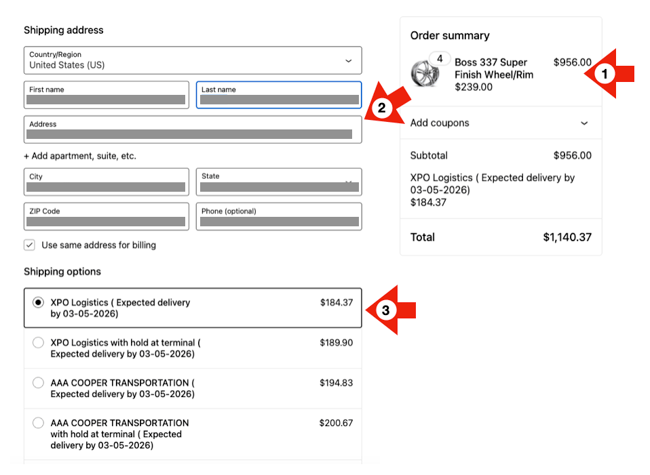
When you open a support ticket (support@eniture.com) for one of our Woocommerce quoting plugins, it's beneficial to include screenshots that illustrate the issue you are reporting. A screenshot of the Checkout page is usually the most helpful one you can provide. When capturing the screenshot, make sure it includes:
- The contents of the cart;
- The address used for the ship-to address;
- The quoted shipping rates.
Unless the problem is obvious (for example, and error message is present) provide some commentary on why you believe there is a problem. The more information you provide, the quicker we'll be able to understand and address your issue.