![eniture_w89_h34.jpg]](https://support.eniture.com/hs-fs/hubfs/eniture_w89_h34.jpg?height=40&name=eniture_w89_h34.jpg)
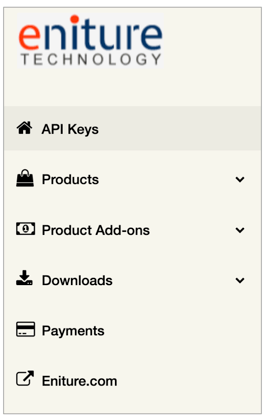
API Keys
Displays a list of the apps, plugins, and extensions associated with your username or email address. The Edit link in the left-hand margin of this page can be used to update the registered URL for the plugin or update the URL for your staging site.
If you need to change your plan or payment method, scroll to the bottom of the Edit page.
Related documents:
How to change your plugin subscription plan
How to update your credit card on file
How to use PayPal as an alternate payment method
Products
Displays all Eniture Technology products available for your eCommerce platform. Click on the product badge that aligns with your interest.
Product Add-ons
Eniture Technology publishes add-on plugins that extend the functionality of its core plugins. The most widely used are:
- Residential Address Detection
- Standard Box Sizes
Install the add-on plugin if you are interested in the functionality and follow the User Guide to set it up.
Downloads
Lists the plugins and extensions associated with your username. Click on the Download Code option to retrieve the installation file. Click on the View Documtation link to view the relevant instructions.
Payments
Lists the billing history for the account. Use the View/Download link to retrieve receipts for individual invoices.
Eniture.com
Click on this entry to return to the eniture.com home page.